At Stripe, we’ve integrated AI into many of our workflows. We created Minions that write code and built our Knowledge AI Platform to help Stripes with a wide range of knowledge work. Many tasks are now faster and easier to complete thanks to these AI assistants.
An area where we haven’t seen as many improvements from AI has been prototyping. When making changes to stripe.com, our team often wants more information to evaluate the feasibility of a new design idea, but can’t always invest in developing a full engineering prototype.
One engineer built the first version of Harbor in about 40 days to solve that problem. We wanted to see whether AI could help designers turn a static design into something dynamic, without needing to understand code.
The result is an interactive, browser-based platform where designers can use AI to rapidly develop shareable prototypes using Stripe’s design systems and realistic mock data.
Harbor immediately improved the design phase of stripe.com projects, increasing engagement and driving clarity around the final vision. In one of the first projects to use Harbor, a designer built a new product page experience, including its animated hero. Engineers, product managers, and leaders interacted with it in real time, leading to quick iteration and consensus. When the page shipped, the animation carried over nearly one-for-one from the prototype.
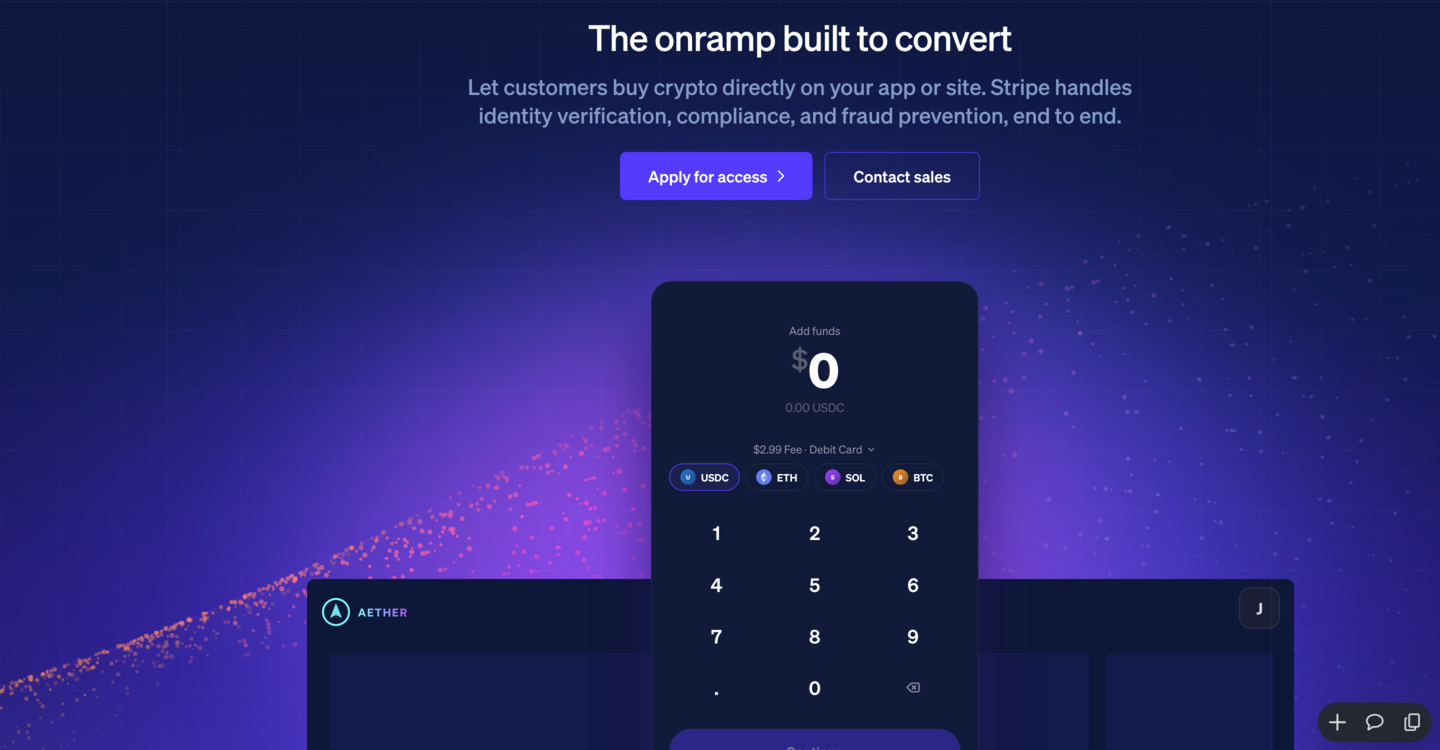
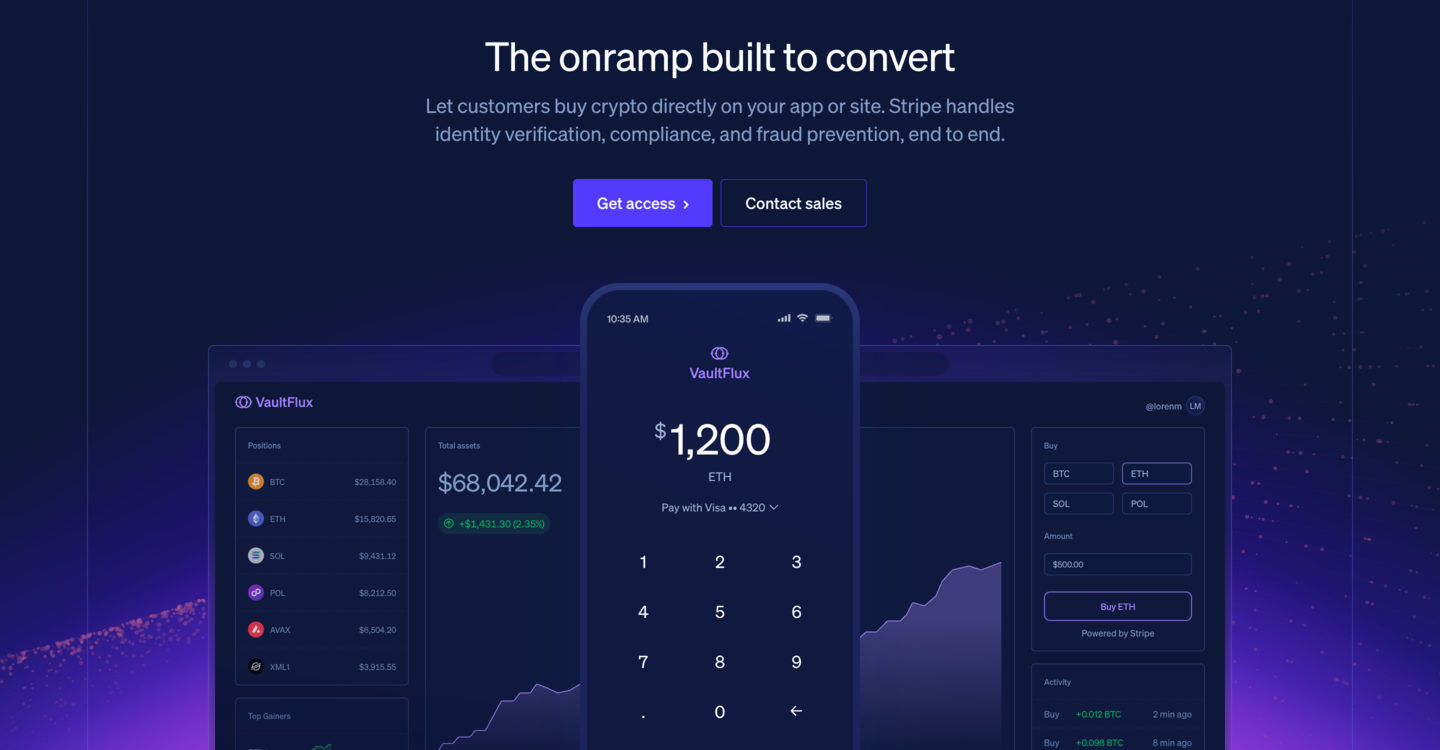
Stripes across the company adapted Harbor for their own needs. Finance teams started presenting monthly actuals and business reviews as clickable prototypes instead of slide decks, a risk operations analyst turned a handle time analysis into a dashboard the rest of the team could inspect, and account executives built pricing proposals, battlecards, and ROI calculators for specific prospects.
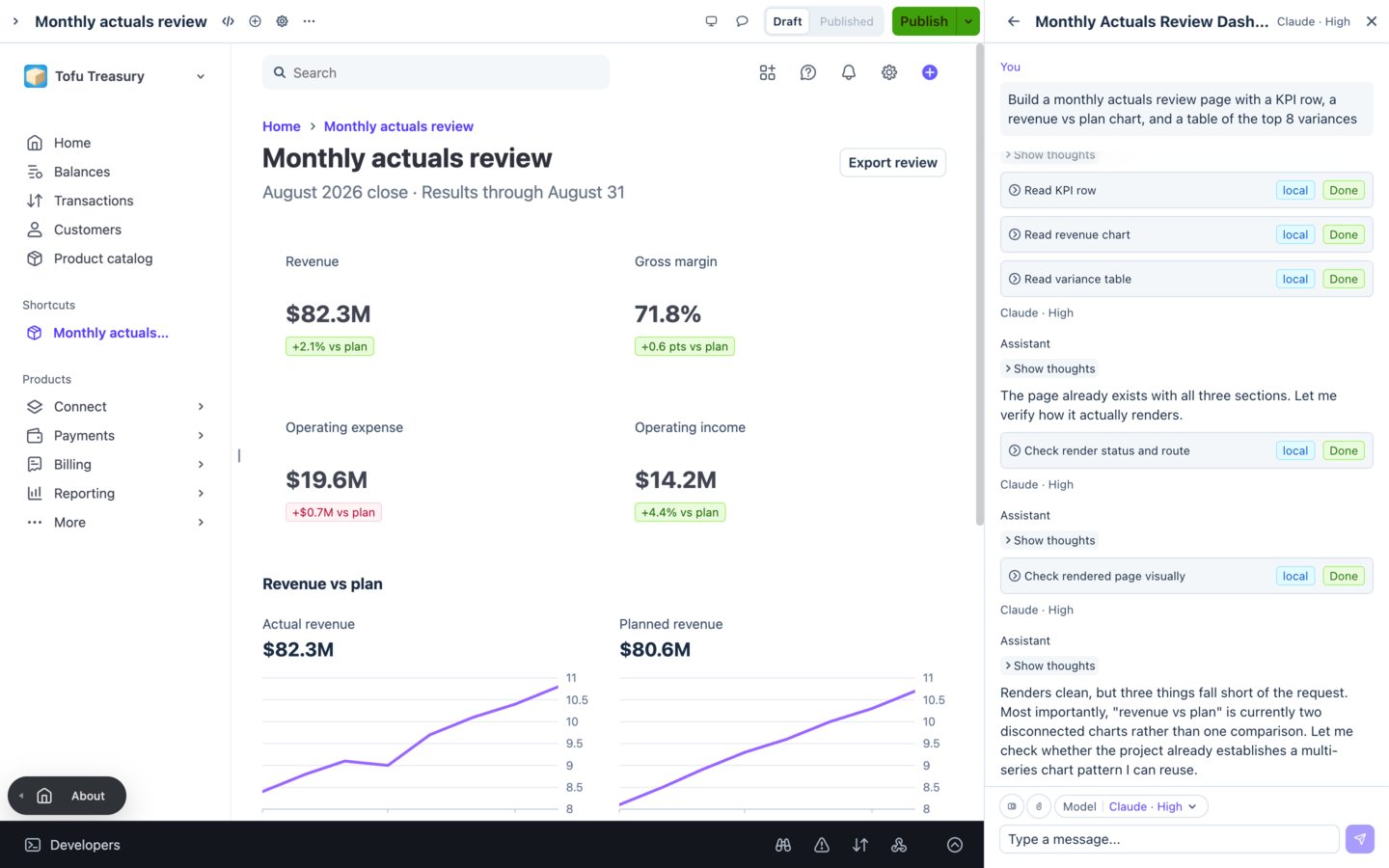
A monthly actuals review built in Harbor: the running prototype on the left, the agent and its tool calls on the right.
Since May 2026, 3,000+ Stripes have created 12,000 prototypes, and 25% of Stripes have created at least one prototype in Harbor. This adoption came with more requests for increased collaboration within a Harbor prototype and interoperability with other AI tooling. Read on to learn how we built this functionality.
Building Harbor for collaboration with people and agents
Harbor’s interface is a browser tab with the running prototype and a chat panel. The author selects a design system for the prototype, setting its packages and starting files, then describes what they want. From there, Harbor works like this:
- The agent writes a multi-file source tree, and the page compiles and renders in the browser rather than on a server.
- The agent can read the rendered page, list and inspect elements, click, type, scroll, switch the viewport between mobile, tablet, and desktop widths, and take screenshots.
- When the prototype is ready, the author publishes it to a shareable URL. There’s one published version at a time, and every view compiles that copy fresh in the viewer’s own browser.
The agent writes files; Drydock compiles them in the browser; the agent inspects and iterates; viewers compile the copy.
Authors can give permission for others to comment on an element of the page or remix the published prototype into a copy of their own.
As prototypes became inputs to reviews, analyses, and production work, Stripes needed better ways to discuss changing designs and move them between AI tools. In the next sections, we’ll cover how we added commenting in Harbor, and how we integrated Harbor into other AI tooling at Stripe.
Anchoring comments to changing prototypes
As more Stripes began using Harbor, they wanted to leave comments. Because Harbor prototypes can change, people and agents need to easily understand comments in their right context. We built comments so they could stay connected to what prompted them, and let people and the agent know when that connection has changed.
Anchoring a comment to a page that the agent keeps rewriting is challenging. Harbor solves this by capturing several signals, including semantic labels, stable identifiers, text evidence, structural paths, list keys, and the surrounding context, such as a dialog or accordion, that needs to be opened to reveal the element. It also records whether a signal was unique at the time. When the agent updates the prototype, the resolution flow uses the stored information to report if the comment’s anchor element is attached, needs review, or is orphaned, rather than silently moving the comment to a plausible replacement.
A comment is pinned; the agent rewrites the page; it re-resolves: attached, needs review, or orphaned.
Published comments are tied to the version of the prototype where they were posted. When the author publishes a new snapshot, Harbor marks existing comments as stale so reviewers can tell which version the feedback is for.
Integrating Harbor with other AI tools
Harbor’s in-browser experience worked well for designers, but Stripes working in our other AI tools wanted to access it from there, so they could bring interactive visual prototypes into existing workflows. Two architectural choices made this possible: exposing Harbor’s toolset over our internal Model Context Protocol (MCP) server, and exposing Drydock, Harbor’s rendering engine, as its own service.
Harbor exposes a toolset through Stripe’s MCP infrastructure that allows other agents to create, read, update, and publish a prototype without needing a person to manually copy context into a new conversation. The same toolset is available to coding agents working on Stripe devboxes. They can pull a Harbor prototype’s file tree into a real repository, or push an idea from another workflow into Harbor for visual exploration. The handoff preserves the decisions around ownership and implementation while eliminating manual transcription between tools.
Drydock, Harbor’s rendering engine, has a small contract: it takes a multi-file React and TypeScript file tree and returns a running page inside the browser, alongside a report that includes compile and runtime failures, so that the agent can inspect and interact with the running result. Because that contract doesn’t depend on anything else in Harbor, other tools across Stripe can use it. This was particularly useful in Kai, our AI platform for knowledge work. Harbor gave Kai users the means to take the next step with a prototype. One of our producers, who run stripe.com programs across design, engineering, and editorial, ran a viewport analysis of stripe.com in Kai, then used Harbor to turn the results into a clickable prototype.
What we learned
Harbor began as an experiment in building with AI. Now it gives all Stripes a way to rapidly experiment and iterate on visual prototypes. We started with solving a small, team-focused problem and expanded beyond its original boundary thanks to our culture of friction logging, AI-forward culture, and colleagues who were willing to try out the early version of a tool, share what they made, and help develop useful pieces into shared infrastructure.
In Stripe’s internal AI tools, we’ve found that it’s effective to keep agents specialized (on research, coding, or browser-native tools) while exposing them to capabilities in other systems. In our viewport analysis example, we started with research in Kai, and built an interactive prototype in Harbor. In other examples, engineers mocked up internal admin tools in Harbor, then handed the generated prototype to a coding agent to rebuild for production. And Harbor’s own rendering engine became infrastructure for Kai.
What’s next
Our goal is to continue to make Stripe’s AI tools work together rather than have each tool solve every part of the workflow. For Harbor, we want prototypes to hold small amounts of state and connect to live data. That includes prototype-scoped databases and embeddable widgets that refresh internal data queries on their own, instead of requiring an agent to copy numbers into the source and rewrite them whenever the data changes.
We’re still early in understanding what becomes possible when research, code, and interactive artifacts can move between AI tools without losing their context. There’s a lot left to build, and the work spans infrastructure, developer tools, product systems, and AI all at once. If that’s the kind of problem you want to work on, we’re hiring.